What I Learned Building a DevOps-Friendly REST API
2025-12-09
Post (4) - Why This Project?
A while ago I took a course on containerization and dockerization to understand more of the DevOps process. The best way to learn was to build, so I created a production-ready API that applied security, testing, and continuous integration best practices.
In earlier projects my APIs worked locally but lacked production concerns:
- Automated testing and quality checks
- Security beyond basic authentication
- CI/CD pipelines
- Logging
- Containerization for consistent environments
And the best way to get a better understanding of this was to implement it into a project.
Project Overview
The REST API was built with Express.js and focuses on:
- JWT-based authentication with role-based access control (admin, user, guest)
- User management with CRUD operations
- Security middleware with rate limiting and bot detection
- PostgreSQL database on Neon’s serverless platform using Drizzle ORM
- Logging with Winston and Morgan
- Input validation using Zod schemas
- Docker containerization for development and production
- CI/CD pipeline with GitHub Actions
Tech Stack
I picked tools I had heard about but never used. Trying them here gave me a practical understanding I can reuse. Key takeaways:
Database: Neon + Drizzle ORM
- Automatic scaling without having to manage infrastructure
- Has branching capabilities for database development (like git branches)
- Nice development experience with Drizzle Studio
Security: Arcjet Integration
Integrating Arcjet was one of the most interesting parts. It provides:
- Rate limiting with role-based limits (admins: 20/min, users: 10/min, guests: 5/min)
- Bot detection and blocking
- Real-time threat detection
This reinforced the importance of layered security, not relying on a single mechanism.
Key Features Implemented
1. Authentication Flow
The authentication system uses JWT tokens stored in HTTP cookies for security
// Simplified flow
POST /api/auth/sign-up → Create user → Generate JWT → Set cookie
POST /api/auth/sign-in → Verify credentials → Generate JWT → Set cookie
POST /api/auth/sign-out → Clear cookie
2. Role-Based Rate Limiting
The security middleware implements different rate limits based on user roles:
// Admin: 20 requests/minute
// User: 10 requests/minute
// Guest: 5 requests/minute
3. Input Validation with Zod
Every request is validated using Zod schemas before processing:
const validationResult = signUpSchema.safeParse(req.body);
if (!validationResult.success) {
  return res.status(400).json({
    error: "Validation failed",
    details: formatValidationError(validationResult.error),
  });
}
The CI/CD Experience
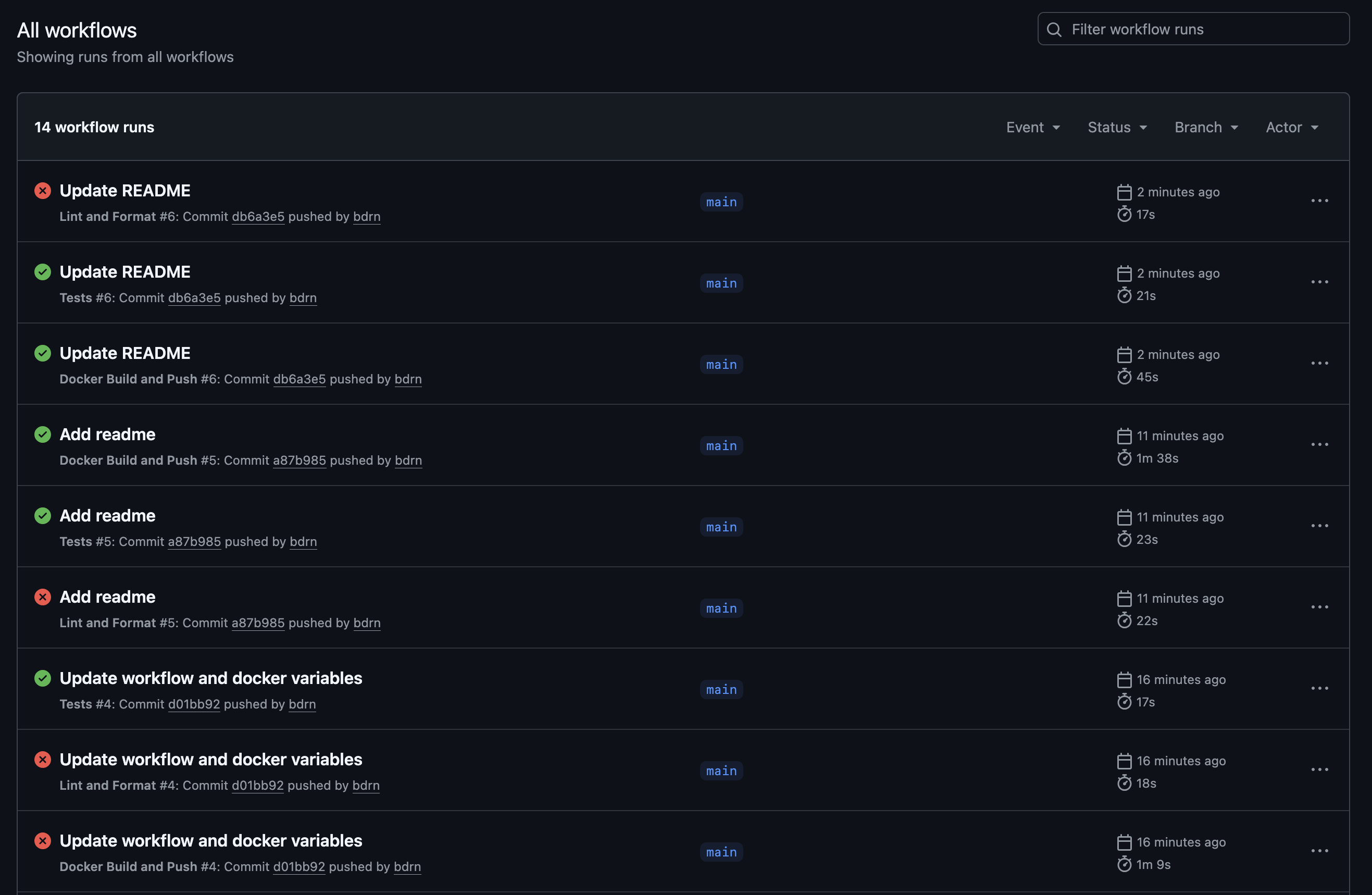
I have previously taken a course on CI/CD pipelines but never actually implemented it into a project, and it was more challenging than expected.
Challenge 1: Linting and Formatting Workflow
Initially ESLint and Prettier checks failed silently. Using continue-on-error: true let both run and surface failures. CI/CD isn’t just automation—it’s feedback that speeds up debugging.
Challenge 2: Docker Hub Automation
The Docker build workflow failed with “insufficient scopes” because the Personal Access Token only had read permissions. It needed “Read, Write & Delete” to push images—something the error messages didn’t make obvious.
Security Considerations
Several tools provided layered protection:
- Helmet.js - HTTP security headers
- CORS - Controlled cross-origin access
- Arcjet - Rate limiting, bot detection, shield protection
- JWT in HTTP-only cookies - XSS protection
- bcrypt - Password hashing
- Input validation - Injection prevention
- Error handling - Information leakage prevention
Testing Strategy
Basic tests were created using Jest with Supertest:
describe("GET /health", () => {
  it("should return health status", async () => {
    const response = await request(app).get("/health").expect(200);
    expect(response.body).toHaveProperty("status", "OK");
    expect(response.body).toHaveProperty("timestamp");
    expect(response.body).toHaveProperty("uptime");
  });
});
I usually skip tests on personal projects, but adding them here made the work feel more complete and clarified expected behavior.
Learning Outcomes
Before this project I thought CI/CD was “nice to have.” Now I see it’s essential: it catches errors early, Docker keeps environments consistent, and workflows document deployment.
What I’d Do Differently
- Start with CI/CD earlier: Adding it from the start would have caught issues sooner.
- Expand testing: Current tests are minimal. Next time I’d add integration tests for the auth flow, load tests for rate limits, and security testing for common vulnerabilities.
Conclusion
Building this API was a nice learning experience. It taught me that “production-ready” is not just that it works, but that it works consistently, has security in mind when being developed, and is automated to reduce human error.